How Do I Turn the Work I Already Have Into YouTube Videos?
By High Vibration Academy.
Last updated: November 17, 2026
Pick one piece of work that answers a question your clients ask, and turn that answer into a short video. A Zoom recording or a Loom can be trimmed and uploaded. A workshop can become several videos. A PDF, a slide deck or a spreadsheet becomes a video when you talk through it on screen. Then, in YouTube Studio, give it a title in the words your clients search, a description with one next step, and a playlist. There is no social media routine to keep up: a video set up this way can keep being found on YouTube long after the day you publish it.
That is the short answer. The longer one starts with a folder.
Who We Are
High Vibration Academy makes calm, practical audio for women in midlife: resets for the 3 AM wake-up, the overthinking loop, the day that will not settle. I'm over 50 myself, and I run this business the way many of our readers run theirs: carefully, with limited hours, and with no wish to live on my phone. So my team and I built a way for good work to be found without that.
Our work started as a folder. For years we kept our recordings in a Google Drive folder called Mindset: audio we made for the moments nothing else fit. It worked, it helped, and almost no one knew it existed.
If you have a folder of workshop recordings, client calls or talks you were proud of, you know that feeling. Good work, finished, and invisible. This page is how we changed that for ours, and how you can change it for yours.
What Counts as the Work I Already Have?
Almost anything you have made to teach, explain or help a client counts. Most of our readers have more than they think:
- Zoom calls, webinars and recorded classes
- Workshops, talks and presentations
- Loom videos and other screen recordings
- Audio: podcasts, guided sessions and voice memos
- PDFs, guides, workbooks and slide decks
- Spreadsheets, templates and checklists you walk clients through
- Blog posts, articles and newsletters
- The questions clients ask you again and again
Not all of it is video yet, and that is fine. A recording needs trimming. A document becomes a video when you explain it on screen. The free Authority Channel Plan asks what you already have and turns it into a list of video titles, each with a format, with the first three to make marked in order.
Why Did We Choose YouTube Instead of Social Media?
We chose YouTube because it lets good work be found by the right person without a daily performance. Most of the advice we found said the same thing: post every day, on every platform, and keep up. We did not have the hours for that, and we did not want that life.
What we wanted was a place where our work could sit, be found, and keep working while we slept. YouTube is that place. The Pew Research Center's 2026 survey found that 84% of U.S. adults use YouTube, the highest share of any platform it measured.
The difference is how people use it. On a feed, they scroll whatever shows up. On YouTube, many come with a question, type it in, and watch the answer. A video that answers a real question can keep being found long after the day you publish it.
What Happened When We Wrote the Process Down?
Our watch time more than tripled once we stopped running the channel from memory and started running it from a written process. For years we ran our meditation and mindset channel by hand. We uploaded when there was time, wrote each title from scratch, and hoped. Growth was slow because the routine depended on our energy that day.
In October 2026 we wrote every step down, from titles and descriptions to thumbnails, playlists and pinned comments, and handed the repeating parts to Claude, Anthropic's AI assistant. We approved every change before it went live.
From mid-August to mid-November 2026, the channel's watch time was 215% higher than from mid-May to mid-August 2026. Short vertical clips, called Shorts, brought most of the new viewers. Long videos held 80% of the watch time. We did not run a social media posting routine to get there.
We then ran the same written process on an independent musician's brand channel that I help grow. From mid-August to mid-November 2026, its views were 108% higher and its watch time 69% higher than from mid-May to mid-August 2026. Two channels, two different audiences, one process.
Why Is This a System If I'm Not Posting All the Time?
Because authority comes from a steady library built over months, and a system lets you build that library in a few focused sessions instead of every day. Not posting constantly does not mean posting once and stopping. A channel that adds one video a week for a year holds fifty answers to the questions your clients ask.
That library is your authority. A viewer who finds one answer finds the next one waiting, and the one after that. By the time a viewer reaches your offer, they already know how you think. A handful of subscribers is enough to start. We explain whether a small YouTube channel is worth it for a business.
The difference from social media is what happens after you publish. A social post fades within days. A YouTube video that answers a real question keeps being found for months or years. You do the work once, and it keeps working.
That is why we use a system. You plan topics for several months at once, prepare the videos in batches, and schedule them in YouTube Studio, which lets you set the date and time each video goes public. The channel then publishes on a steady rhythm while you work with clients. You do the work in seasons. The channel shows up every week. We explain how often to post on YouTube when you run a business in more detail. We also lay out a YouTube content strategy for service providers on one page.
Our own channels run this way. Claude handles the repeating parts, such as titles, descriptions and scheduling, and we approve each one.
Why Do Recordings Already on YouTube Go Unwatched?
Most existing videos go unfound for one of three reasons: they are unlisted or private, their titles do not match what people search, or they lead nowhere. Each one is a setting in YouTube Studio, the free dashboard where you manage your channel, and each one takes minutes to change. If you do not have a channel yet, we explain how to start a YouTube channel for your business first.
Unlisted videos do not show up in YouTube search results or on your channel's Videos tab, according to YouTube's guide to video privacy settings. The one exception: an unlisted video added to a public playlist can appear there.
A title like "IMG_4821 final v2" tells YouTube nothing about who the video is for. And a video with no link in its description gives an interested viewer no way to reach you. Fix all three and the video has a fair chance to be found.
Which Piece Should I Turn Into a Video First?
Start with the piece that answers the question your clients ask most often. A person who has that exact question and finds your answer is the person most likely to want your help next.
Open the folder where your work lives, or the Content tab in YouTube Studio, and sort what you have with three questions:
- Does it still hold up? If you would teach it the same way today, it stays in.
- Does it answer one clear question? If it answers several, it can become several videos.
- Are you comfortable with it being public? Leave out anything with a client's name, face or story unless you have written permission.
From what passes, pick three. Three videos fill one playlist and fit into one week. If your folder is thin, the 5 Video Foundation Plan helps you plan your first five YouTube videos from the questions your future clients ask.
Not Sure Which Piece to Start With?
The free Authority Channel Plan asks about the work you have, reads your website and picks your first three videos in order.
How Do I Turn a Recording or a Document Into a Video?
A recording needs trimming. A document needs your voice. Either way, upload the finished file in YouTube Studio and keep it Private while you set it up.
Recordings. Download the file first. Zoom recordings saved to the cloud are on the Recordings page of your Zoom account; recordings saved to your computer are in the Zoom folder inside Documents. Loom lets you download any of your videos. Trim the waiting-room minutes and the goodbyes, so the video starts on the first useful sentence.
Documents. Open the PDF, slide deck or spreadsheet and record your screen while you talk through it, the way you would with a client. Loom, Zoom on your own, or the screen recorder built into your computer all work. Audio becomes a video the same way: play it over a simple image or slides.
Then open YouTube Studio, choose Create, then Upload videos, and select the file. Set the visibility to Private until the steps below are done.
What Should I Set Up in YouTube Studio Before It Goes Public?
Set up eight things on each video, in this order. The recording itself does not change. These are the fields that decide whether a searcher finds the video and whether a viewer reaches you.
1. Rewrite the Title as the Words a Client Would Search
Put the main words first and name the problem. "How to Explain a Career Break in a Job Interview" tells a searcher exactly what they get. Research tools such as vidIQ and TubeBuddy show which phrases people search on YouTube; they are among the tools we use alongside the system.
2. Open the Description With One Next Step
Write one plain sentence about what the video covers, then one link to one offer, such as a consultation page, a course or a free download. One link gives the viewer one clear choice. If that link leads to your website, the page should look as trustworthy as your work. Branding Beautifier helps you choose brand colors and fonts for your website.
Learn how to explain a career break in an interview and connect it to the job you want next.
Book a consultation: yourwebsite.com/consultation
3. Add Chapters for Longer Videos
Chapters split a long video into labeled sections a viewer can skip to. Add them by listing timestamps in the description, starting with 00:00. A workshop recording with chapters lets a viewer jump straight to the part that answers their question.
4. Add a Thumbnail That Matches the Title
Use a clear image with a few words of text that repeat the promise of the title. YouTube lets you upload a custom thumbnail once your account is verified, as YouTube's custom thumbnail guide explains. Canva has free templates sized for YouTube.
5. Check the Captions
YouTube creates automatic captions for most videos. Open the Subtitles section in YouTube Studio and correct any names or terms it got wrong, especially your own name and the words of your field.
6. Make the Video Public
In YouTube Studio, open Content, select the video, and change its visibility from Unlisted or Private to Public. Only public videos appear in YouTube search.
7. Add the Video to a Playlist
Name each playlist for a topic a viewer cares about, such as "Overthinking and Decision Making" rather than "Workshop Clips." YouTube's guide to creating playlists shows the steps. A viewer who finishes one video then has the next one waiting.
8. Pin One Comment With the Next Step
Write a comment yourself, pin it to the top, and repeat the one link from the description. It gives a viewer a second place to find your next step. For more places to put that link, see our post on getting YouTube viewers to your website.
How Do I Turn a Long Recording Into Several Videos?
Cut it at each question it answers, and publish each part as its own video. A 90-minute workshop often holds three or four answers. A viewer searching for one of them wants that answer, not the hour before it.
Text-based editors such as Descript let you cut a recording by deleting words from its transcript. Free editors such as CapCut work on the timeline instead. Either way, start each clip on the first useful sentence and end it when the answer is complete.
The strongest 30 to 60 seconds of a recording can also become a Short. On our channel, Shorts were the front door that brought new viewers in, and the long videos were where they stayed. Our full guide to cutting recordings is in how to turn old recordings into YouTube videos.
What If I Already Have a Lot of Work?
Work in batches of three, and finish all eight steps on a batch before starting the next. A finished batch of three is worth more than thirty videos with half the steps done.
Keep a short list of what you changed and when. It shows you what is left. After a month, the Analytics tab in YouTube Studio shows which titles people found through search, and that tells you which kind of title to write next.
The repeating parts of this list, such as drafting titles, descriptions and pinned comments, are the parts we hand to Claude on our own channel. You stay in charge of what goes live. If you want that set up on your own computer, Advanced Setup helps you make a YouTube video for your business every week with Claude.
Who Is This For?
This is for anyone with a business built on what they know, who wants the right clients to find that work. Coaches, mentors, practitioners, consultants and service providers use it, and so do product businesses with something to teach. Many of our readers are women in midlife, like us, running a bit of everything: one-to-one sessions, a course or program, products and services for other businesses.
You have more recorded and written work than you use. You know a YouTube channel would help people find you, and you do not want the social media shuffle that usually comes with it. You would rather have a clear list of steps than a pile of advice.
If that is you, you are in the right place. You already have the material. What it needs is a way to be found.
Questions
Do Unlisted Videos Show Up in YouTube Search?
No. An unlisted video does not appear in YouTube search results or on your channel's Videos tab. Anyone with the link can watch it, and it can appear in a public playlist if someone adds it to one. Change the visibility to Public when you want people to find it.
Do I Need to Post on Social Media for This to Work?
No. You set the title, description and playlists yourself in YouTube Studio, and YouTube uses them to understand what the video covers and who to show it to. Social media can add reach, but YouTube search works without it.
Do I Need to Post on YouTube Every Day?
No. Choose a rhythm you can hold, such as one video a week, prepare the videos in batches, and schedule several months ahead in YouTube Studio. Steady matters more than often, and scheduled videos keep your channel showing up while you work.
Which Video Should I Publish First?
The one that answers the question your clients ask most often. A viewer who has that question and finds your answer is the person most likely to want your help.
Do I Have to Be on Camera?
No. A voice over slides, a screen recording, or audio with a simple image all work on YouTube. Our own channel is mostly voice and visuals. Choose the format you are comfortable keeping up.
Can I Change a Title After a Video Is Public?
Yes. You can edit titles, descriptions, thumbnails, chapters and playlists at any time in YouTube Studio. Changing a title that is not being found is one of the simplest improvements you can make.
Behind the System
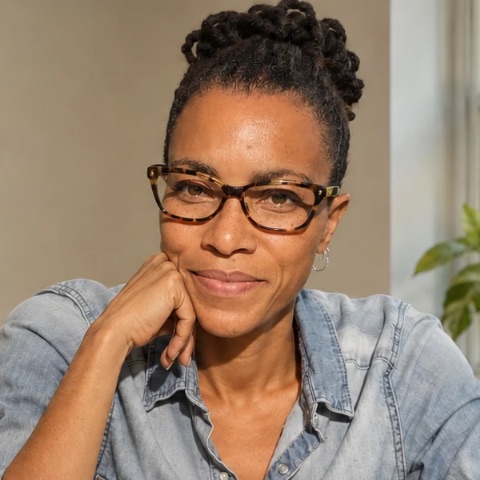
Imani Lea Brown builds The Authority Channel System for High Vibration Academy. She is a content strategist and documentation specialist with more than 25 years of experience turning scattered ideas into clear, repeatable systems. She holds a B.A. in English Literature from UC Berkeley and is a certified Scrum Product Owner. She uses the process in this guide on our meditation and mindset channel and on an independent musician's brand channel she helps grow.
Keep Reading
Find Out Which Video to Publish First
The steps are simple. Choosing where to start is the hard part. If you are looking at a folder of work and wondering which piece comes first, use the free Authority Channel Plan. It is a Claude skill that asks about your business and the work you already have, then picks what to publish first and where to send the viewers who want your help.